How to Download 1xBet on Android – Complete Guide & Tips
Betting on a smartphone has become the norm, and the 1xBet Android app is one of the most feature‑rich options on the market. Whether you are after live casino action, a fast sportsbook, or a generous welcome bonus, the app promises a smooth experience. This article walks you through everything you need to know before you start the 1xbet download android process, from preparing your device to cashing out winnings safely.
Why Choose 1xBet for Android Betting?
1xBet has built a reputation for offering an extensive catalogue of sports markets and over 2,000 live casino games, all optimised for mobile. The Android version mirrors the desktop site’s speed, allowing instant payouts on many popular deposit methods. Another draw is the frequent promotions that are tailored to mobile users, such as exclusive app‑only bonuses and reduced wagering requirements on certain bets. For beginners, the interface is relatively intuitive, making it a solid entry point into online gambling.
From a licensing perspective, 1xBet holds a Curacao eGaming licence, which meets the minimum standards for player protection in most jurisdictions. The app also supports multiple languages, which is helpful for a global audience. Security features like two‑factor authentication and encrypted data transmission are built‑in, giving you a sense of safety while you place bets on the go.
Preparing Your Device for 1xBet Installation
Before you start the 1xbet download android, make sure your phone meets the minimum requirements: Android 6.0 (Marshmallow) or newer, at least 2 GB of RAM, and a stable internet connection. Free up at least 150 MB of storage space; the installer itself is lightweight, but the app will download additional assets for live streaming and game updates. It’s also wise to enable “Install unknown apps” for the browser or file manager you will use, as the official store may not host the latest version in every country.
Check your device’s security settings and consider installing a reputable mobile antivirus. This precaution helps prevent any unwanted software from slipping in while you sideload the APK. Finally, verify that you have a valid payment method ready—credit cards, e‑wallets, or prepaid vouchers are all accepted once the app is up and running.
Step‑by‑Step: 1xBet Download Android App
- Open your Android browser and navigate to the official 1xBet mobile page.
- Tap the “Download for Android” button. The APK file will start downloading automatically.
- When the download finishes, open the file from the notification bar or the “Downloads” folder.
- If prompted, grant permission to install apps from unknown sources.
- Follow the on‑screen instructions; the installer will verify the package and then ask you to confirm.
- After installation, launch the app and allow any required permissions (e.g., location for geo‑targeted offers).
For users who prefer a direct link, you can visit the onexbet app download page, which hosts the most recent version verified by the developer. Once the app is open, you’ll see a welcome screen that asks you to either log in or create a new account.
Registering and Verifying Your Account on Mobile
Registration on the 1xBet Android app is straightforward: enter an email address, choose a strong password, and optionally provide a phone number for SMS verification. The app supports social‑login options such as Google or Facebook, which can speed up the process for users who already have those accounts. After submitting the form, you’ll receive a verification email; click the link inside to activate your account.
KYC (Know Your Customer) verification becomes necessary before you can withdraw larger sums. You’ll be asked to upload a government‑issued ID, a proof‑of‑address document, and sometimes a selfie for facial verification. The review usually takes less than 24 hours if the documents are clear, and you’ll receive a notification once your account status changes to “verified.”
Bonuses, Promotions, and Wagering Requirements
First‑time bettors are greeted with a welcome bonus that typically matches the initial deposit up to a certain amount—often 100% up to €100. The bonus comes with wagering requirements, usually 5–7× the bonus value, meaning you must bet that amount before you can cash out. Keep an eye on the “Bonus Terms” section in the app; it lists eligible games, maximum stake per bet, and any time limits.
Beyond the welcome offer, 1xBet runs regular promotions like “Free Bet Friday” or “Live Casino Cashback” that are automatically credited to your account. These promotions often have lower wagering requirements or no minimum deposit, making them attractive for casual players. Always read the fine print to avoid surprises when you try to withdraw.
Managing Payments: Deposit and Withdrawal Methods on Android
Depositing funds on the 1xBet Android app is a matter of selecting “My Account” → “Deposit.” You’ll see a list of supported payment methods, each with its own processing time and fees. Below is a quick comparison:
| Method | Processing Time | Typical Fee | Notes |
|---|---|---|---|
| Visa/Mastercard | Instant | No fee | Widely accepted, may have bank limits. |
| Skrill | Instant | 1–2 % | Good for fast withdrawals. |
| Bank Transfer | 1–3 business days | Flat €5 | Best for larger sums. |
| prepaid voucher | Instant | No fee | Anonymous, limited amount. |
When withdrawing, navigate to “My Account” → “Withdraw.” Choose the same method you used for depositing for the quickest payout, or select an e‑wallet for instant cash‑out. Withdrawal requests are usually processed within 2 hours for e‑wallets, while card withdrawals may take up to 48 hours depending on your bank.
Exploring the Mobile Experience: Live Casino, Sportsbook, and Features
The 1xBet app organises its content into clear tabs: Sports, Live Casino, Promotions, and My Account. The sports section covers over 30,000 events, with live‑streaming available on popular matches directly within the app. You can place in‑play bets, set cash‑out limits, and watch real‑time odds updates without switching screens.
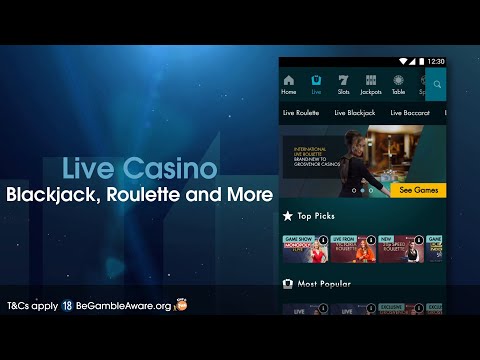
In the live casino area, you’ll find classic tables like roulette, blackjack, and baccarat, plus a range of video slots. The “Instant Play” mode lets you jump straight into a game without downloading additional software, which is perfect for on‑the‑go sessions. The app also supports push notifications for personalized offers, upcoming events, and deposit reminders.
Security, Responsible Gambling, and Customer Support
Security on the 1xBet Android app is reinforced by SSL encryption, regular security audits, and optional two‑factor authentication via an authenticator app. Your personal data is stored on secure servers that comply with GDPR standards for European users. Should you ever suspect suspicious activity, you can freeze the account instantly from the settings menu.
Responsible gambling tools are built into the app: deposit limits, loss limits, session time reminders, and a self‑exclusion option that can be set for 6 months to several years. If you need help, the “Support” tab offers live chat 24/7, an email contact form, and a comprehensive FAQ covering everything from bonus questions to technical issues.
Common Issues and Troubleshooting Tips
If the app fails to launch after installation, clear the cache and data in your Android settings, then restart the device. For login problems, make sure you’re using the correct email case and that your password isn’t expired; the “Forgot password” feature will email a reset link. In some regions, the app may be blocked by local regulations—using a reputable VPN service can restore access, but always check the legality in your jurisdiction first.
Payment hiccups are often caused by mismatched account names or insufficient verification. Double‑check that the name on your deposit method matches the name on your 1xBet account, and ensure all KYC documents are up to date. When in doubt, contact the live chat support; they typically respond within minutes and can guide you through any step of the process.